Technical reference
Kaufland Seller API integration
Sellgrip works with your own keys for the Kaufland Seller API. Here you see what it does in your shop and which endpoint it uses for each step.
- Connection Keys, signing, storefronts and sync.
- Orders Shipping, cancelling, refunds, returns and invoices.
- Offers Create, change and delete, plus Pricing rules.
- Product data Per language, with categories, attributes and images.
- Tickets Read, reply, open and close.
- Reports Ten Kaufland reports, read daily.
- Sellgrip API Stock and product data from your own system.
- Alongside other software What Sellgrip only reads, what it writes, emergency stop and log.
Connection
Every change Sellgrip makes is an API request.
| Access | Your own keys for the Kaufland Seller API: the client key and secret key from the Seller Portal. You enter them in the Sellgrip dashboard. |
|---|---|
| Authentication | Every request is signed with HMAC using the secret key. |
| User agent | Sellgrip/1.0.0 (+https://sellgrip.com) |
| Storefronts | DE, AT, CZ, SK, PL, FR, IT, ES and NL. See all nine countries. |
| Currencies | Prices in each storefront’s own currency: EUR, CZK or PLN. Conversions use the exchange rates of the European Central Bank. |
| Synchronisation | A new order as soon as Kaufland’s push notification arrives. All orders per storefront every 15 minutes as a backup. Warehouses, shipping groups and reports daily, the category tree weekly. |
| Push notifications | Sellgrip subscribes to these when you connect: order_new, order_unit_new, order_unit_status_changed, return_new, return_status_changed, return_unit_status_changed, item_unit_out_of_stock, item_unit_not_available, item_unit_available, item_unit_deleted. |
| Writes | Every change goes through the API. Sellgrip does not use ORDER-Command files. |
| API keys | Encrypted with AES-256-GCM. Not shown again after you enter them, and deleted as soon as you disconnect or delete your account. |
| Data location | Only in data centres in the European Union. Processing follows the Data Processing Agreement under Art. 28 GDPR. |
Orders
Sellgrip reads your orders per storefront and writes every change back through the API.
| What Sellgrip does | Kaufland Seller API |
|---|---|
| Read a new order as soon as Kaufland’s push notification arrives. Read all orders and order units per storefront every 15 minutes as a backup. | GET /order-unitsGET /orders |
| Mark as shipped with carrier and tracking number. The carriers come from Kaufland’s list. | PATCH /order-units/{id}/sendGET /carriers |
| Several parcels per order unit. | POST /shipments |
| Mark many order units as shipped in one step. | PATCH /order-units/{id}/send |
| GLS shipping labels. | POST /shipping-labels |
| Cancel per item, with every cancellation reason Kaufland offers. | PATCH /order-units/{id}/cancel |
| Partial refund per item. | PATCH /order-units/{id}/refund |
| Read, open and update returns. | GET /returnsPOST /returnsPUT /returns/{id} |
| Accept, reject, repair or clarify return units. | PATCH /return-units/{id}/acceptPATCH /return-units/{id}/rejectPATCH /return-units/{id}/repairPATCH /return-units/{id}/clarify |
| Upload invoices yourself, or let Sellgrip upload them after shipping. | POST /order-invoices/{id_order} |
| Fulfillment by Kaufland: Sellgrip also reads these order units, returns and tickets and marks them. Shipping, cancelling, labels and return decisions stay with Kaufland. | GET /order-unitsGET /returnsGET /return-unitsGET /ticketsfulfillment_type |
Offers
Sellgrip sends offer changes field by field: only what changed goes to Kaufland.
| What Sellgrip does | Kaufland Seller API |
|---|---|
| Create an offer, in every item condition Kaufland supports. | POST /units |
| Change price, stock, handling time, status, warehouse, shipping group and minimum price. | PATCH /units/{id}POST /units/bulk |
| Delete an offer. | DELETE /units/{id} |
| Offer status, with Kaufland’s reasons. | POST /units/status |
| Apply one change to the same product in all your storefronts, with currency conversion. | PATCH /units/{id} |
| Pricing rules: as a suggestion or automatic, never below your break-even. | PATCH /units/{id} |
| Stock sync from a CSV upload or an https feed, every 15 minutes up to once a day, with buffer stock for the whole account or per item. | PATCH /units/{id}POST /units/bulk |
| Warehouses and shipping groups, read daily. | GET /warehousesGET /shipping-groups |
Product data
Sellgrip writes product data per language and storefront and shows Kaufland’s feedback next to it.
| What Sellgrip does | Kaufland Seller API |
|---|---|
| Write product data per language and storefront. | PUT /product-dataPATCH /product-data |
Status and Kaufland’s feedback per EAN, also from the reports invalid-items and product-data-changes. |
GET /product-data/status/{ean} |
| Pick a category from Kaufland’s list. The category tree is read weekly. | POST /categories/decideGET /categoriesGET /categories/tree |
| Mandatory attributes are marked. You add more Kaufland attributes by name. | GET /attributes/searchGET /attributes/by-name/{name} |
| Several images per product and per storefront. | PATCH /product-data |
| Optional: copy language-neutral values to your other languages automatically. | PATCH /product-data |
| Import from CSV or a feed, hourly or daily, with columns mapped to attributes. Only changed rows are sent. | PATCH /product-data |
| New EAN: create the product data first, then list the offer. | PUT /product-dataPOST /units |
Tickets
Customer service on Kaufland runs through tickets. Sellgrip reads and handles them through the API.
| What Sellgrip does | Kaufland Seller API |
|---|---|
| Read tickets and messages, with reason and topic. Attachments from Kaufland can be downloaded. | GET /ticketsGET /tickets/{id} |
| Reply, with attachments. | POST /tickets/{id}/messages |
| Open a ticket from an order. | POST /tickets |
| Close a ticket. | PATCH /tickets/{id}/close |
Reports
Sellgrip reads these Kaufland reports once a day:
lost-buyboxbuybox-opportunityprice-competitivenesscompetitors-compareraccount-listinginvalid-itemsproduct-data-changesbookings-newsales-newcancellations
Sellgrip API
Your shop, inventory system or ERP sends stock and product data to Sellgrip the moment they change. Sellgrip passes them to Kaufland at once; the Sellgrip API is included in Business.
| What you do | Sellgrip API |
|---|---|
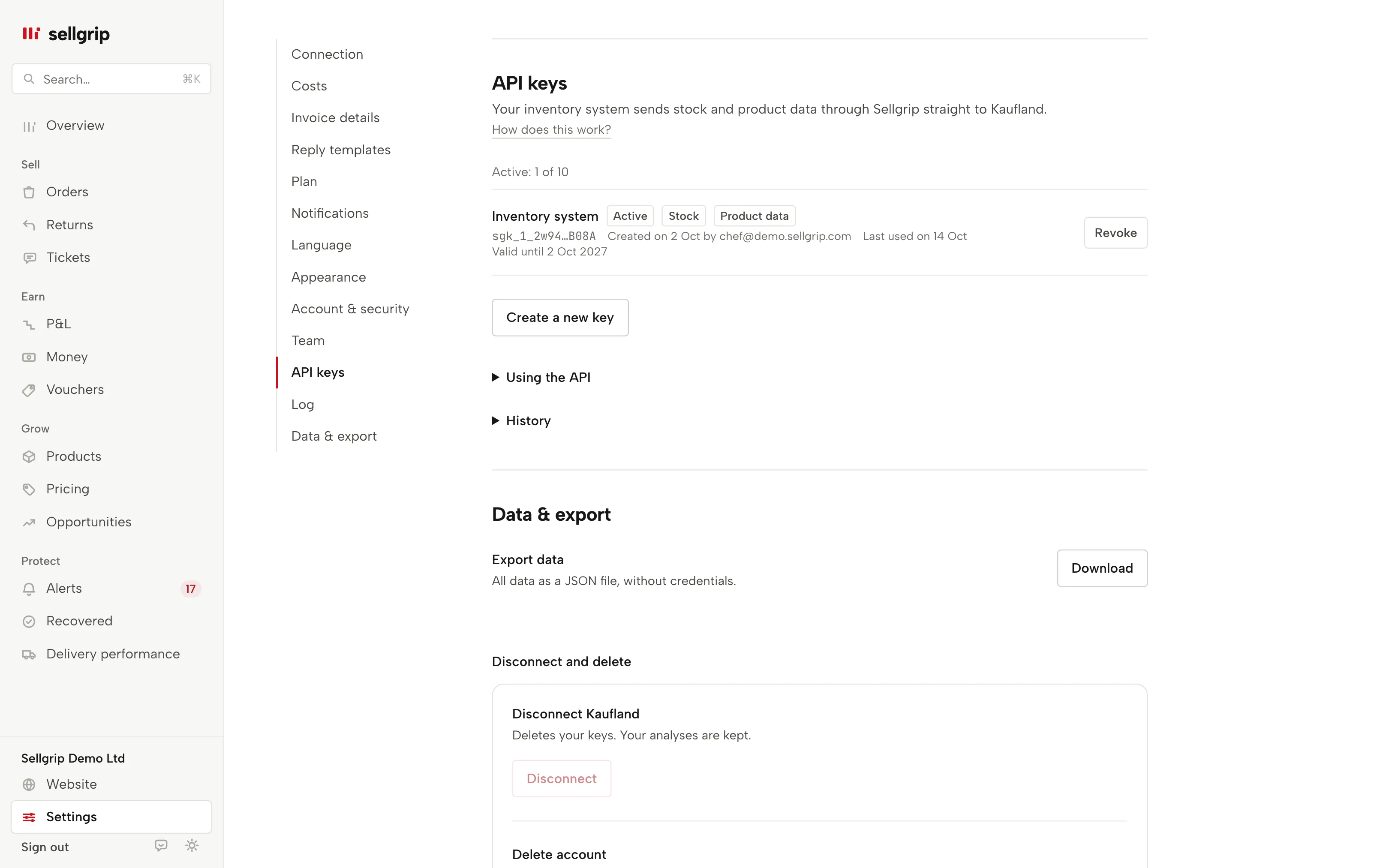
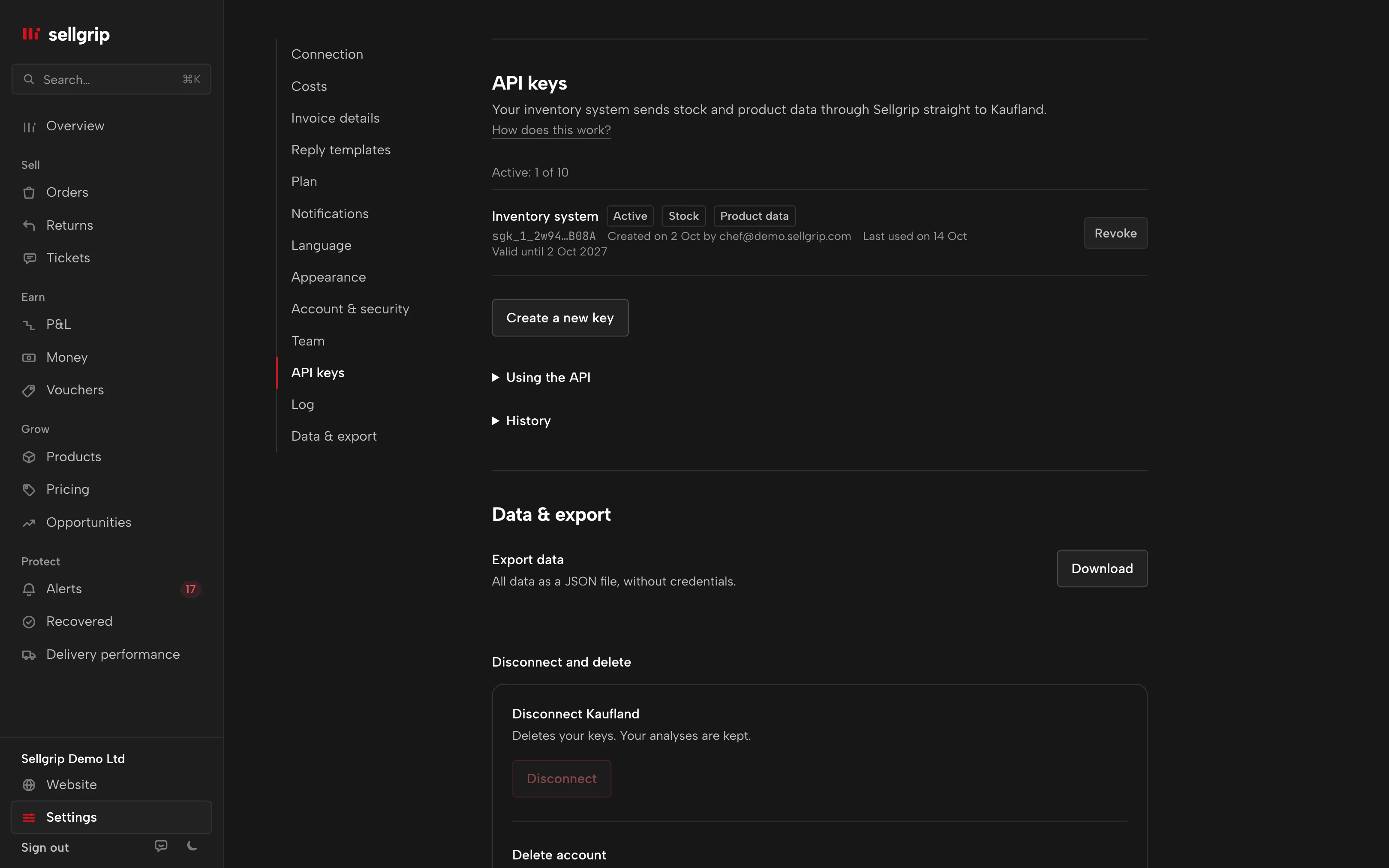
Create a key under Settings › API keys: owner only, confirmed with your password. Permissions stock:write and product-data:write, valid until revoked, for 90 days or for one year. Sellgrip shows the key once; every request sends it in the header. |
Authorization: Bearer sgk_… |
| Test the key: the answer names your account and the key’s permissions. | GET /api/v1/ping |
Send stock as JSON or CSV, up to 1,000 items per request. Sellgrip writes it to Kaufland with POST /units/bulk before it answers and holds back your buffer stock. |
POST /api/v1/stock |
| Send product data per EAN and language, up to 100 items per request, checked by the same rules as the Product data form. The first 20 go to Kaufland before Sellgrip answers, the rest in the next 15-minute rounds. | POST /api/v1/product-data |
| See where an item stands: queued, sent or refused in Kaufland’s words, plus the last state Kaufland reported. | GET /api/v1/product-data/{ean} |
Let AI assistants read: with a key with the permission read, Claude Desktop, Claude Code and other MCP clients look up tasks, profit, orders, Buy Box and opportunities. The access only reads. More under AI assistants. |
POST /api/v1/mcp |
Alongside other software
If you already use an integrator or repricer, pick one source per field. Here you see what Sellgrip only reads and when it writes.
| Read only | Reports, bookings, payouts, warehouses, shipping groups, categories and Kaufland’s opportunities. Sellgrip changes none of them. |
|---|---|
| On your click | Shipping, cancelling, refunds, returns, tickets, vouchers, offers and product data. Sellgrip sends nothing until you confirm in the dashboard. |
| Automatic prices | Only if you switch on the automatic mode of Pricing rules and set a product to “Automatic”. If another tool or Smart Pricing has changed the price, Sellgrip sends nothing and puts the product back to “By click”. |
| Price limits | Never below your break-even, at most 5% per change and 15% a day, both adjustable. After three errors in a row the automatic mode turns itself off. |
| Automatic stock | Only if you switch on the stock sync with your list or feed. If the list looks wrong, such as too many zeros or too many changes at once, Sellgrip sends nothing. |
| Automatic product data | Only if you switch on the import feed. Sellgrip then sends only rows that changed. |
| Automatic invoices | Only if you switch on the automatic upload, for orders from that moment on. If Kaufland already holds an invoice for the order, from anyone, Sellgrip uploads none. |
| Sellgrip API | Your own system sends stock and product data with a key you create. Without a valid key nothing gets through. |
| One field, one source | If another tool already sets prices or stock, leave that automation off in Sellgrip. Without automation Sellgrip writes only on your instruction. |
| Emergency stop | At the bottom of the Pricing rules page. It stops Pricing rules, the stock sync, the product data import and changes through the Sellgrip API at once, until you lift it. What you change yourself under Offers, order and ticket actions as well as automatic invoices carry on. |
| Log | Settings › Log lists what your account sent to Kaufland, with time and result. Automatic prices are also in the Pricing rules history. |
Connect your Kaufland shop
You connect your shop yourself in the dashboard, with two keys from the Seller Portal. The first sync starts right away, free on every plan.