Earn
What each item earns you on Kaufland.
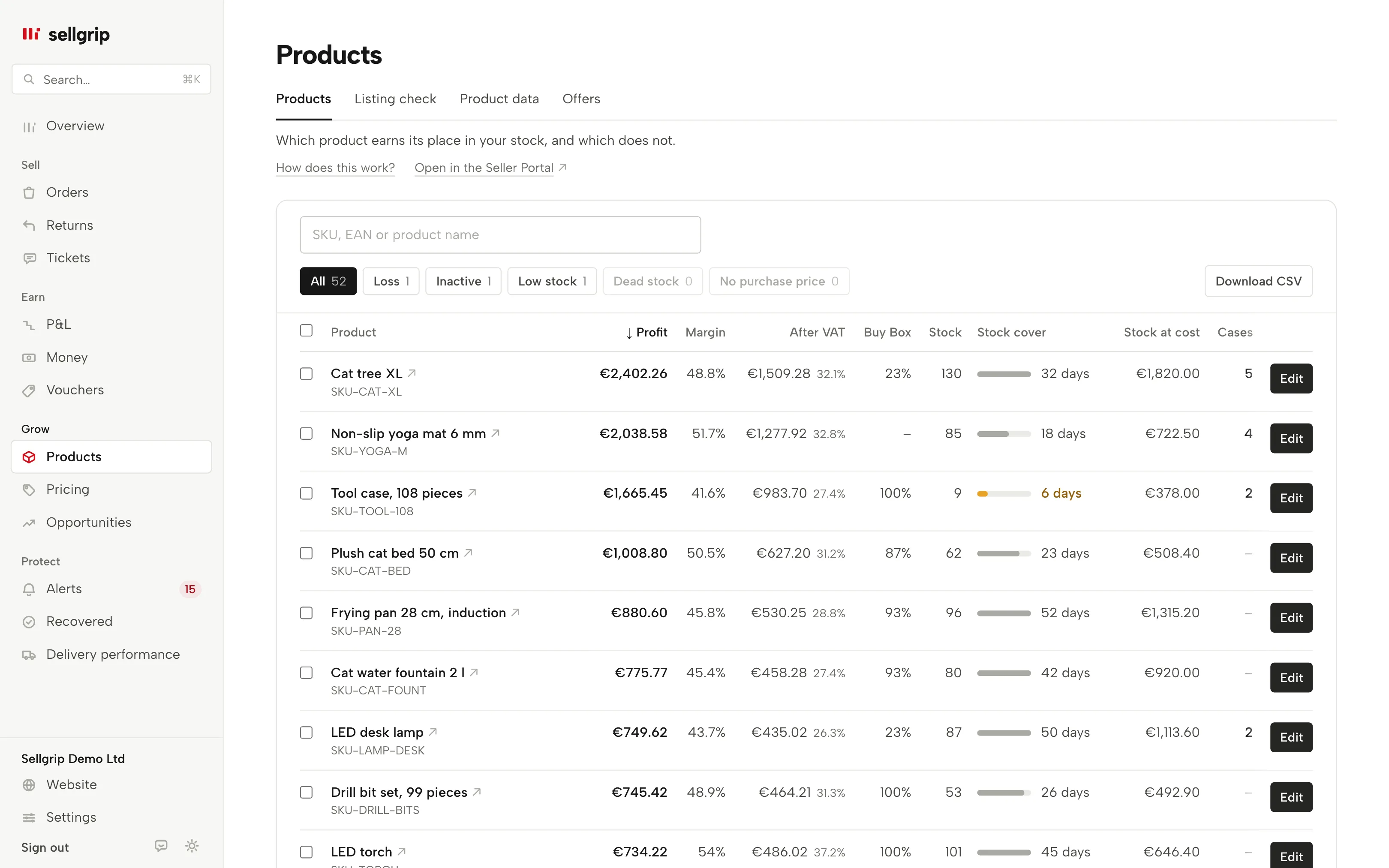
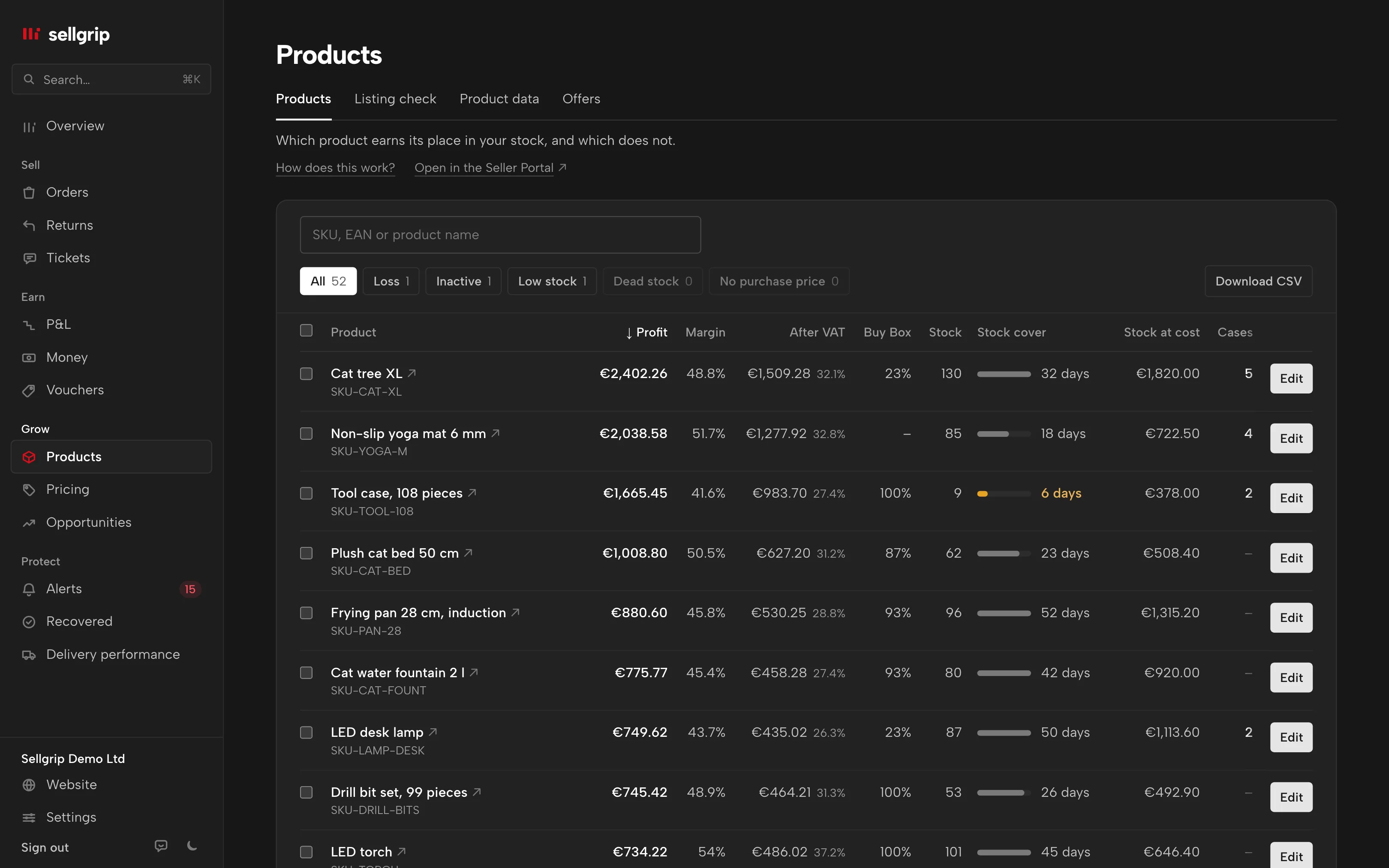
Sellgrip takes commission, shipping and cost of goods off every sale and adds it up per item. You see which products make money and which ones cost it.
No payment details, no minimum term.
What Sellgrip works out per item
Profit and margin
Sales minus Kaufland fees, shipping and cost of goods, over the last 30 days. Next to it, the margin as a percentage.
Profit after VAT
A second column takes off the VAT, and that is the figure to price from. Where Kaufland owes the VAT on a sale, Sellgrip takes none off.
Commission from the settlement
If the commission is already in the Kaufland settlement, Sellgrip uses that amount. Otherwise it uses the rate Kaufland gives for your EAN and country.
A dash instead of a wrong number
If a purchase price is missing, Sellgrip shows no profit rather than €0. Click “Enter” to add it on the spot. The “No purchase price” filter shows which items still need costs.
Losses at the top
The “Loss” filter shows only the items that lost money in the period. Click the “Profit” column header and the weakest items come first.
Your list as CSV
With Pro, “Download CSV” saves the list with profit, margin, profit after VAT, stock and stock cover. Column names and number format follow your language, so the file opens straight in Excel.
How profit per item comes together
-
Kaufland supplies the sales
Sellgrip reads orders and the settlement through the Kaufland Seller API. It asks Kaufland for the commission rate of every EAN in every country.
-
You supply the costs
Upload purchase price and shipping cost as a CSV under Settings, with a start date. The template already lists every product. You set once whether the prices are net or gross.
-
Sellgrip works through every line
Each order line counts with the purchase price that applied on its order date. Then Sellgrip adds up the lines per item.
Why the selling price tells you little
Commission, VAT, purchase cost and shipping all come off the selling price. What is left depends on the category, how you ship and what you paid.
Check a single price with the profit calculator. Sellgrip does the same kind of sum for every item you sell, with the figures from your settlement.
- Commission on the gross price
- Kaufland charges commission on the gross price including shipping, 7 to 16% depending on the category, 4 to 12% on Kaufland.pl. Every rate is listed under Kaufland fees.
- A fixed fee for media
- In the media category, €0.70 per item is added to the commission. No other category has a fixed fee per item.
Source: Kaufland, Conditions, read on 11 September 2026.
What you see in Sellgrip
- Products
- Under Products, every item with profit, margin and profit after VAT, plus Buy Box share, stock and days of cover. Below the list it says “Last 30 days, profit as in the P&L.”
- Profit per SKU
- The “Product profit per SKU” table in the profit and loss splits profit into gross, fees, cost of goods, shipping and returns, and VAT. It is before advertising and the base fee.
- Purchase price missing
- Where a purchase price is missing, the profit column shows “Enter”. It opens a small form for that product’s purchase price and shipping cost, saved at once. Without a purchase price there is no profit.
- Costs under Settings
- This is where you upload the CSV with SKU or EAN, purchase price, shipping cost and start date. Sellgrip shows a preview before anything is saved. You also choose whether the prices apply to past sales.
Questions about Profit
What do I see on the Free plan?
Profit per item over the last 30 days, in the profit and loss and under Products. The CSV export and the full profit and loss come with Pro.
Are advertising and the base fee included?
Not in profit per item, because both apply to the whole account. They appear in the profit and loss once you have entered them.
Why does Sellgrip need my purchase prices?
Kaufland does not know them, only you do. Without purchase price and shipping cost, Sellgrip works out no profit.
What happens when a purchase price goes up?
You upload the new price with its start date. Older orders keep the old price, unless you choose to apply the new one to past orders.
Where does the VAT rate come from?
From the order, as Kaufland states it. Sellgrip never fills in a rate from a table.
Related tools
- Kaufland seller fees: what selling on Kaufland costs Guide
- Kaufland fees 2026 Free calculator
- Commission by category Free calculator
- Profit calculator Free calculator
- Commission check Sellgrip tool
- Profit and loss Sellgrip tool
Checked on , last updated
Start with Sellgrip today.
You can start free without a card or a contract. Want everything? Try Business for 14 days (payment details required). After that you pay for the plan you chose, plus VAT, unless you cancel first.