Kaufland Global Marketplace: sell in nine countries from one account
One registration, nine Kaufland marketplaces. This guide shows how to add a country, what it costs, how VAT and payouts work per country, and which mistakes to avoid.
Free: up to 100 products in one Kaufland country.
Kaufland Global Marketplace is a programme run by Kaufland. Sellgrip is an independent tool for Kaufland sellers, not an offer from Kaufland.
At a glance
- One registration, nine marketplaces
- Offers, orders and product data for every country sit in one Seller Portal. You can add a country at any time, at no extra cost.
- One base fee
- Basic €39.95 or Plus €59.95 a month, excluding VAT. You pay it once, however many countries you sell in.
- Free translation
- Kaufland translates your product data automatically and for free into the languages of the other marketplaces, but not into German. It can also translate legal texts for free; check them yourself, because they must comply with each country’s law.
- Paid in the local currency
- Each country pays out in its own currency: euro, Czech koruna or Polish złoty. You enter bank details per country.
What Kaufland Global Marketplace is
Kaufland Global Marketplace is how Kaufland opens its online marketplaces to other sellers. Buyers shop on Kaufland.de, Kaufland.cz, Kaufland.fr and the other country sites. You sell on them with one seller account and manage offers, orders and product data for every country in one Seller Portal.
Kaufland handles payment processing in the local currency and first-level customer support in the local language, and it translates product data and customer tickets free of charge. Your offers, shipping, returns and taxes in each country remain your responsibility.
The nine Kaufland marketplaces
Standard VAT rate and currency per country. You set your prices and shipping costs per country.
| Marketplace | Country | Language | Standard VAT | Currency |
|---|---|---|---|---|
| Kaufland.de | Germany | German | 19% | EUR |
| Kaufland.at | Austria | German | 20% | EUR |
| Kaufland.nl | Netherlands | Dutch | 21% | EUR |
| Kaufland.cz | Czechia | Czech | 21% | CZK |
| Kaufland.sk | Slovakia | Slovak | 23% | EUR |
| Kaufland.pl | Poland | Polish | 23% | PLN |
| Kaufland.fr | France | French | 20% | EUR |
| Kaufland.it | Italy | Italian | 22% | EUR |
| Kaufland.es | Spain | Spanish | 21% | EUR |
Commission is charged per category. Eight countries share one table; Poland has its own. All rates are on Kaufland fees 2026.
Kaufland.nl opened on 8 September 2026, Kaufland.es on 6 October 2026.
Which country to start with
Start with the markets closest to what you already do. Kaufland.de and Kaufland.at share a language and the euro, so German offers work in both without translation; only the VAT rate differs (20% in Austria). From German, Kaufland translates your product data for the other seven marketplaces free of charge.
Selling from outside the EU is possible too, with a tax registration in every country where you sell. Read the section on VAT below before you start.
How to sell in another Kaufland country: five steps
You do this in Kaufland’s Seller Portal, one country at a time. Each country has its own onboarding.
-
Add the sales channel
On the Seller Portal dashboard, pick the country from the “Add sales channel” menu. It is free.
-
Set up shipping groups
Per country: where you deliver, what it costs and the transport time. The delivery time shown is your processing time plus that transport time.
-
Offers and translation
Offers in the local currency, product data in the local language. Tick automatic translation under Settings › Shop settings › Translation & transfer, and upload only offer data in the new country.
-
Tax details and legal texts
Your OSS number or a VAT ID for that country. Legal notice (imprint), terms and conditions, privacy policy and withdrawal information in the local language, plus a return address.
-
Go live
Click “Publish now”. If you do not, your offers go live automatically within 24 hours of completing the onboarding.
Not on Kaufland yet? Start with SELLGRIP26: three months without Kaufland’s base fee. How it works
Checklist: ready for a new country
Tick off what is done. Your ticks are saved in this browser only.
VAT, OSS and the €10,000 threshold
For each Kaufland country you enter either your OSS number or a VAT ID for that country. Sellers based outside the EU always need a tax registration in each country. Kaufland asks for this below the €10,000 threshold too: it treats sellers under the threshold the same as those above it.
For sales to consumers in other EU countries, one threshold of €10,000 applies to all countries together, per calendar year, and it must not have been exceeded in the previous calendar year either. Below it you usually charge your own country’s VAT; above it, the VAT of the buyer’s country, declared through OSS. Check the threshold.
Selling from outside the EU: if your goods ship from a warehouse in the EU, or from outside the EU in consignments of up to €150, Kaufland counts as the supplier for VAT purposes (deemed supplier). Kaufland has deactivated offers under €150 net that ship from a warehouse outside the EU since 15 June 2026, and has not supported IOSS since 1 July 2026.
This is not tax advice. For your own situation, ask your tax adviser.
Fees, currency and payouts
- Base fee
- Basic €39.95 or Plus €59.95 a month, excluding VAT, once for all marketplaces. With Kaufland.cz as your primary sales channel you pay in koruna (Basic 990 Kč), with Kaufland.pl in złoty (Basic 175 zł).
- Commission
- A percentage per sale, depending on the category and the country. If you ship from abroad, Kaufland charges no VAT on the commission. Commission by category
- Currency
- You set prices per country in its currency: euro in seven countries, koruna on Kaufland.cz and złoty on Kaufland.pl.
- Payout
- Kaufland releases your revenue 14 days after delivery (with a tracking number) or 21 days after the order is marked as shipped (without one). You transfer released funds yourself, at any time, per country. Koruna and złoty can also be paid out in euros. Payout date calculator
Shipping, returns and customer service
- Shipping
- A shipping group per country, with costs and transport time. Kaufland expects a valid tracking number for at least 80% of your shipments.
- Returns
- You give a return address for each country. With your own DPD contract, you can set up automated DPD returns once for all channels (DE, AT, FR, CZ, PL, SK, NL, IT); these currently go only to addresses in Germany. For DHL returns you need your own DHL returns contract and a German return address. If the purchase price, excluding shipping, is above €40.00 (990 Kč or 175 zł), you pay for the return. Up to that amount you may charge the buyer at most €5 per return label, or offer free returns. The return address must be in the EU.
- Customer service
- Buyers write to you in their own language. Kaufland translates customer tickets for free and expects an answer within 48 hours on working days.
Common mistakes
What costs sellers time or money when they add a country.
- Uploading product data again
- In the new country you upload only offer data. Kaufland transfers and translates the product data itself.
- Converting prices one to one
- VAT differs per country, from 19% in Germany to 23% in Poland and Slovakia, and Czechia and Poland have their own currency. Work out the price per country.
- Legal texts left in your own language
- Legal notice, terms and withdrawal policy must be in the language of each country and comply with its law. Kaufland can translate legal texts for free; check them yourself, because a translation does not adapt them to each country’s law.
- Transport time set too short
- Buyers see your processing time plus the transport time. If parcels abroad take longer, set that honestly: late deliveries weigh on your delivery performance.
- Reading the threshold as an exemption
- Below €10,000 Kaufland still asks for your OSS number or a VAT ID per country. The threshold decides which VAT you charge, not whether Kaufland needs your tax details.
- Leaving tickets for later
- Kaufland expects an answer within 48 hours on working days, in every country. Buyers write in their own language, and Kaufland translates the tickets.
Where Sellgrip helps
You add countries in Kaufland’s Seller Portal; Sellgrip does not do that for you. It works out where your products pay off, and keeps every country in one dashboard.
Grow
-
Bestsellers you do not list yet
Kaufland bestsellers missing from your range, your own categories first. You list them straight from Sellgrip, and below your break-even only if you confirm.
On Business
-
What your supplier’s range would earn
Upload your supplier’s price list and see, item by item, what would be left on Kaufland after commission and costs.
On Business
-
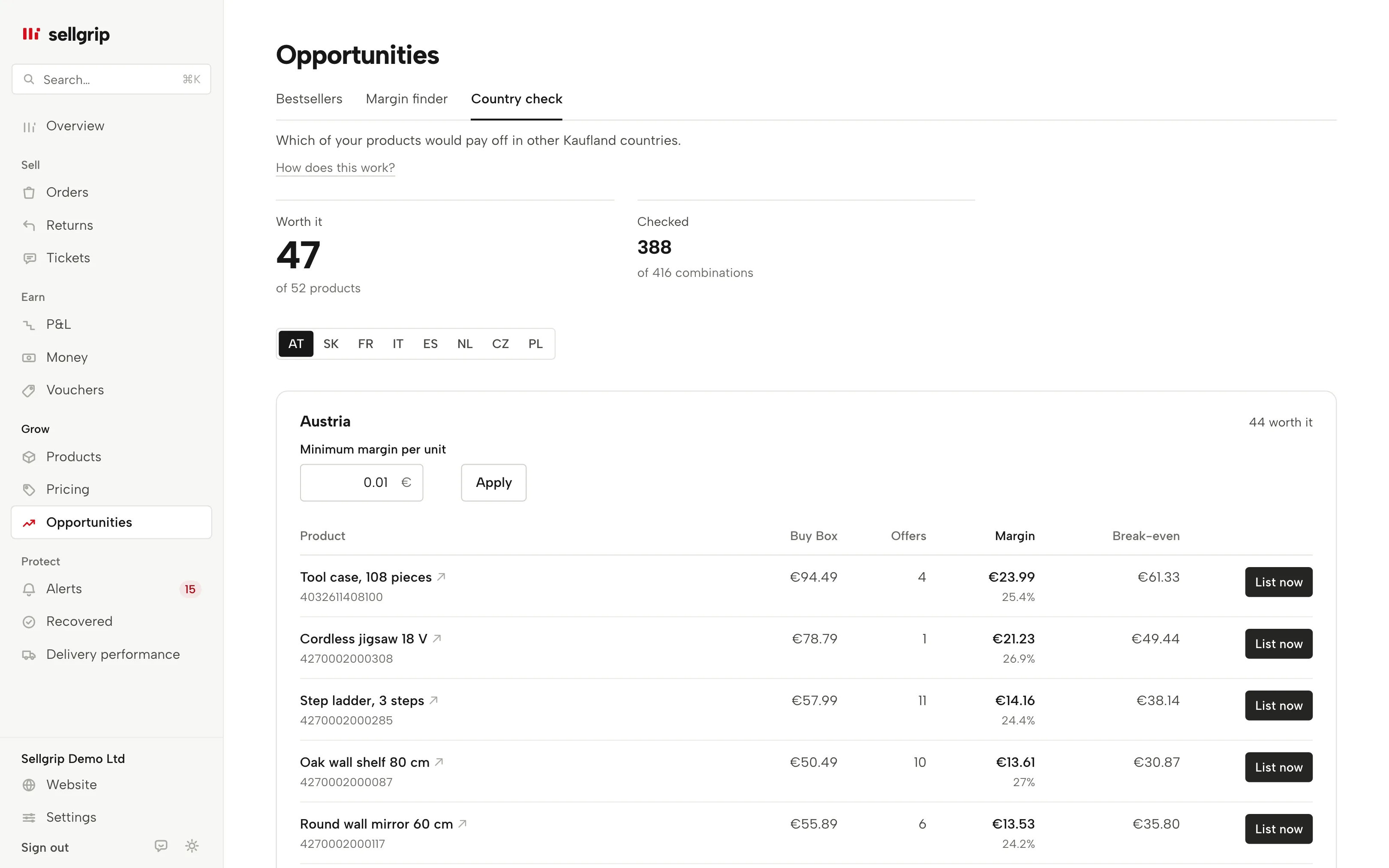
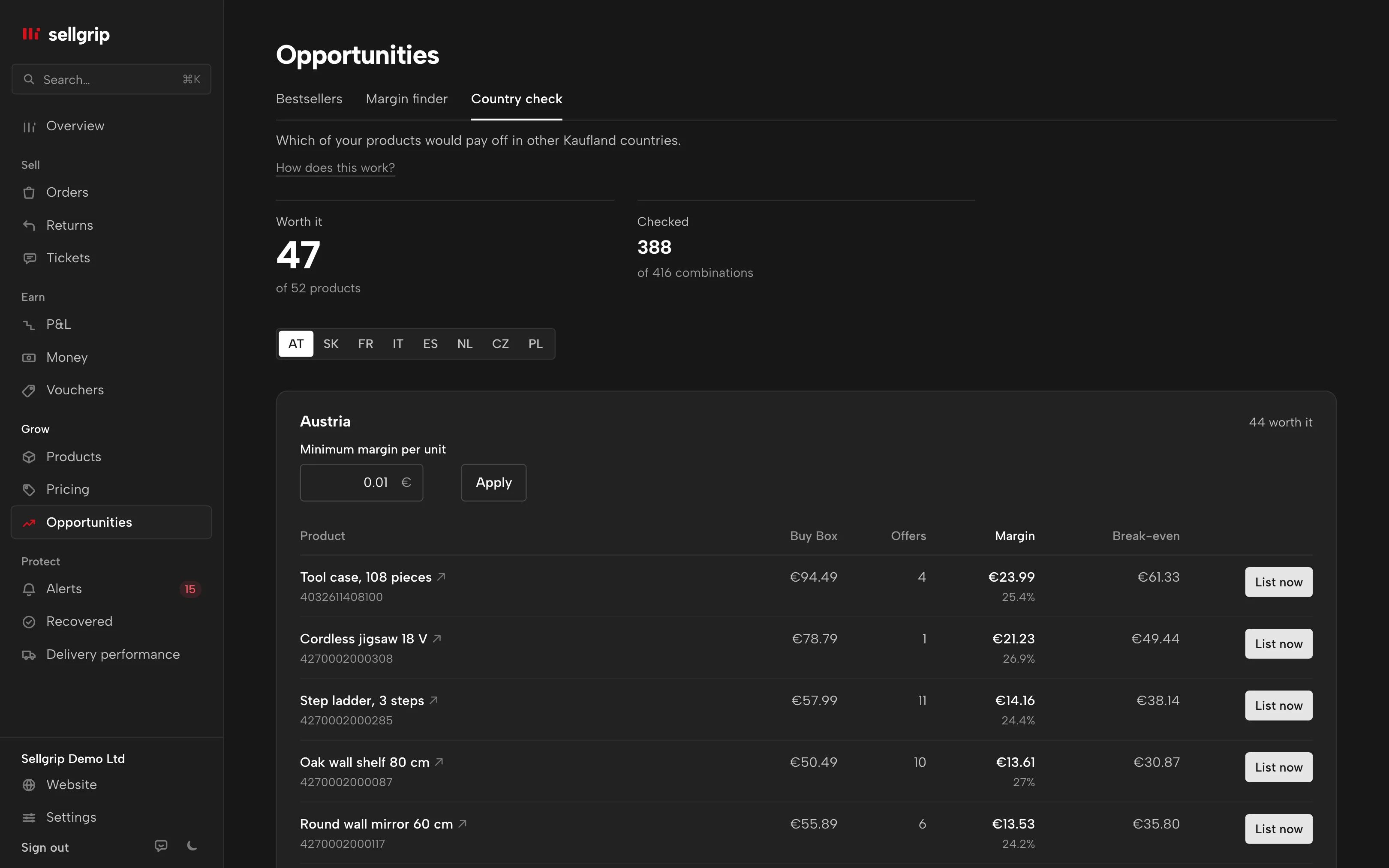
Where your products pay off
What your items would earn in the other Kaufland countries after VAT, commission and shipping, in koruna and złoty too. It also shows how close you are to the €10,000 distance selling threshold.
On Business
Sell
-
Tickets within 48 hours
Every Kaufland ticket in one inbox, with a clock counting down the 48 hours. Pro and Business add reply templates in the buyer’s language.
Also on Free
-
Return decisions in Sellgrip
Accept or reject returns in Sellgrip. The returns radar shows which products come back unusually often, and why.
Pro and up
-
Invoices and GLS labels
Create invoices and send them straight to Kaufland, and buy GLS labels from the order.
Pro and up
Earn
-
Profit per product
What each product earns after commission, shipping, the country’s VAT and your own costs.
Also on Free
-
When your money arrives
What Kaufland releases and when, day by day, and what comes in and goes out over the next eight weeks.
Pro and up
-
Minimum prices for Smart Pricing
Sellgrip works out your minimum price from your break-even and sends it to Kaufland in one click. Smart Pricing does not go below it.
On Business
Protect
-
Commissions and payouts checked
Every commission against the rate for your category. If something is off, the message for Kaufland is ready, and Recovered shows what it brought back.
On Business
-
Proof in one file
If a payout is missing, Sellgrip bundles orders, delivery dates and tracking numbers in one click for your Kaufland ticket.
On Business
-
Warned before the limit
Cancellation rate, late shipments and ticket rate: Sellgrip sees them rise and tells you how many days you have left if the trend continues.
On Business
Also in Sellgrip: Buy Box Pricing rules Vouchers Reply templates Cash flow forecast Returns radar Daily email Team and roles Web app Countries
Free for up to 100 products in one Kaufland country, without payment details. Pro covers up to 3 countries, Business all nine, and you can try either free for 14 days.
Common questions
Is Kaufland Global Marketplace a separate marketplace?
No. It is the name of Kaufland’s programme for sellers. Buyers shop on Kaufland.de, Kaufland.cz, Kaufland.fr and the other country sites; you sell on them with one account.
Which countries belong to Kaufland Global Marketplace?
Nine, according to Kaufland: Germany, Austria, the Netherlands, Czechia, Slovakia, Poland, France, Italy and Spain.
How much does Kaufland Global Marketplace cost?
A monthly base fee for all countries together, Basic or Plus, plus commission on each sale by category and country. Adding another country costs nothing extra.
Do I have to translate my listings?
Not your product data: Kaufland translates it automatically and for free into the languages of the other marketplaces, but not into German. It can also translate legal texts for free; check them yourself, because they must comply with each country’s law.
Do I need a VAT number in every country?
For each country, Kaufland asks for either your OSS number or a VAT ID for that country. Sellers from outside the EU always register in each country. Whether you charge the buyer’s VAT depends on the €10,000 threshold. This is not tax advice.
Can I sell on Kaufland from outside the EU?
Yes, with a tax registration in every country where you sell. Kaufland is the deemed supplier for goods from EU warehouses and for consignments of up to €150 from outside the EU. Since 15 June 2026, Kaufland has deactivated offers under €150 net that ship from outside the EU.
In which currency does Kaufland pay me?
In the currency of each marketplace: euro, Czech koruna or Polish złoty. Koruna and złoty can also be paid out in euros. You transfer released funds yourself, at any time.
How quickly can I sell in a new country?
Once you have finished the onboarding for that country. Your offers go live when you click “Publish now”, or automatically within 24 hours.
Sources
Kaufland’s own pages and the EU VAT directive, each with the date we last read it. Where Kaufland has no page in your language, the link goes to the English version.
- Kaufland Global Marketplace, Selling internationally, read on 30 September 2026
- Kaufland Seller University, Seller registration, read on 30 September 2026
- Kaufland Seller University, Onboarding, read on 30 September 2026
- Kaufland Seller University, Product data, read on 30 September 2026
- Kaufland Seller University, Shipping settings, read on 30 September 2026
- Kaufland Seller University, Returns settings, read on 30 September 2026
- Kaufland Seller University, Tax registration, read on 30 September 2026
- Kaufland Seller University, EU VAT regulation 2021, read on 30 September 2026
- Kaufland, Conditions, read on 30 September 2026
- Kaufland Seller University, Payment, read on 30 September 2026
- Kaufland Seller University, KPIs for your delivery performance, read on 23 September 2026
- Kaufland Seller University, Customer service KPIs, read on 23 September 2026
- Kaufland, press release on the launch of Kaufland.nl, read on 1 October 2026
- Council Directive (EU) 2017/2455 amending Directive 2006/112/EC, read on 17 September 2026
- Selling in other Kaufland countries: VAT, OSS and languages Guide
- Selling on Kaufland in 2026: a guide for international sellers Guide
- EU distance selling threshold Free calculator
- Countries Sellgrip tool
- Country check Sellgrip tool
- Accounting Sellgrip tool
Checked on , last updated
Start with Sellgrip today.
You can start free without a card or a contract. Want everything? Try Business for 14 days (payment details required). After that you pay for the plan you chose, plus VAT, unless you cancel first.