Protect
How punctually you deliver, before a cancellation fee applies.
Sellgrip counts late shipments, cancellations and tracking numbers and puts them next to Kaufland’s target. Below that is every order that weighs on a rate.
No payment details, no minimum term.
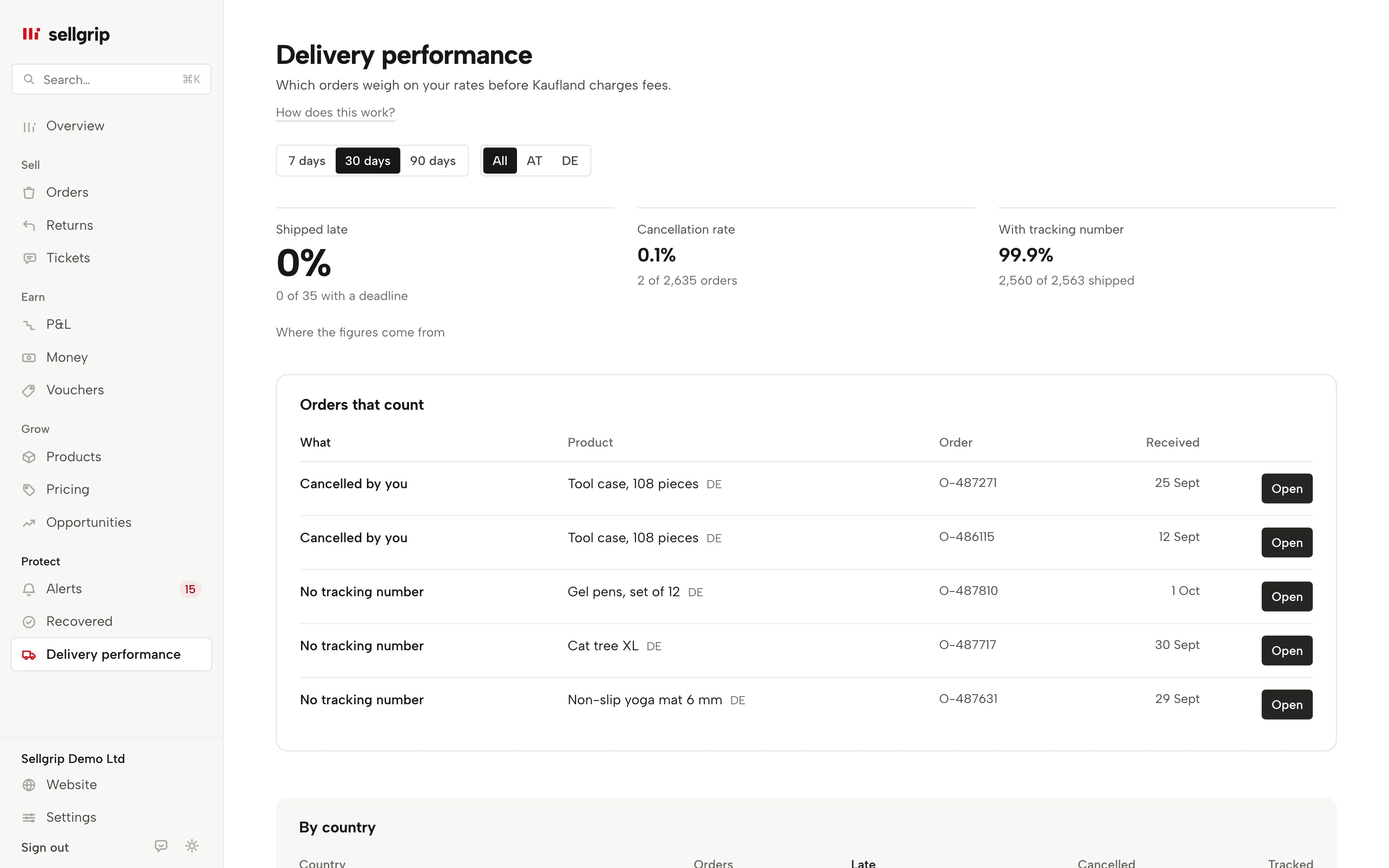
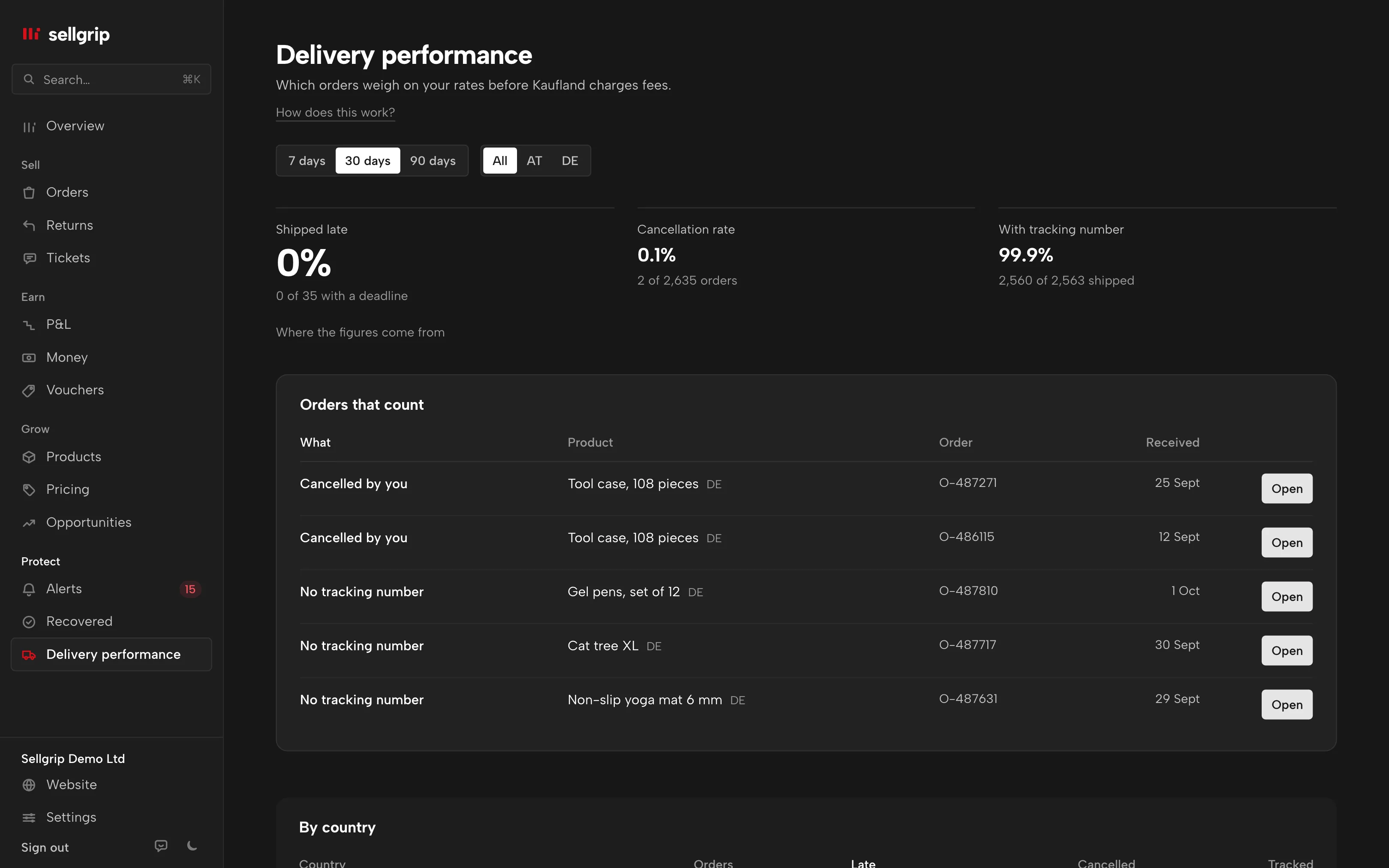
What delivery performance shows
Shipped late
Orders that were still open after the shipping deadline, or were only reported as shipped after it. Counted across all orders with a deadline.
Cancellation rate
What you cancelled yourself, across all orders in the period. Cancellations with no reason are listed separately instead of being counted in.
With tracking number
The share of shipments with a number, next to Kaufland’s target of at least 80% per calendar month. If Sellgrip cannot read it at Kaufland, it says so, and never shows 0%.
Period and country
7 or 30 days on every plan, 90 days on Pro and Business. All countries together or one of them. Without a filter, you also get a table per country.
Orders that count
Every order that weighs on a figure, with the reason. The product name opens the product, and “Open” takes you to the order.
Kaufland’s assessment
Without a country filter, Kaufland’s own cancellation rate for the last full month sits next to it, with how many order units you caused.
How you use the figures
-
Sellgrip reads your orders
At every sync, with shipping deadline, status and cancellation reason. Sellgrip also stores every tracking number you report through Sellgrip.
-
You see where you stand
Each figure sits next to its limit, and it says whether that is Kaufland’s target or a guideline from Sellgrip.
-
You open the order
Mark an overdue order as shipped in Orders before it weighs on the rate any further.
What Kaufland measures on delivery
Kaufland assesses the seller-related cancellation rate per calendar month, and above the target it costs money. Without a filter, Sellgrip also shows Kaufland’s own assessment for the last full month.
For late shipments, Sellgrip uses a guideline of its own and says so on screen. Kaufland itself measures late and early deliveries.
- Cancellation rate: target under 1%
- Between 1% and 2.99%, Kaufland charges 7% of the total price of the cancelled transactions; over 3% it is 15%. Work out your month with the cancellation rate calculator.
- Late: Sellgrip guideline 4%
- A value set by Sellgrip for late shipments, not by Kaufland. Kaufland itself measures late and early deliveries and expects no more than 10% of each per week.
- Tracking number and payout
- Kaufland releases your revenue 14 days after delivery (with a tracking number) or 21 days after the order is marked as shipped (without one). The payout date calculator works out your date.
Sources: Kaufland Seller University, Customer service KPIs; Kaufland Seller University, KPIs for your delivery performance; Kaufland Seller University, Order management; Kaufland Seller University, Payment, read on 11 September 2026.
What you see in Sellgrip
- Three figures
- “Shipped late”, “Cancellation rate” and “With tracking number”, each with “… of …” below it and its limit, such as “Kaufland’s target: below 1%”.
- At least …, reported via Sellgrip
- Kaufland does not return tracking numbers. Sellgrip then counts the ones you reported through Sellgrip, as a floor.
- Kaufland’s assessment
- Kaufland’s own figure for the last full month, as in the Seller Portal.
- Orders that count
- Each order has a reason, such as “Deadline passed”, “Shipped after the deadline”, “Cancelled by you” or “No tracking number”, and an “Open” button.
Questions about Delivery performance
Does delivery performance cost anything?
No, it is on every plan, including Free. On Free, the period goes back 30 days.
Why does the figure differ from Kaufland’s assessment?
Kaufland counts per calendar month, Sellgrip over the last 7, 30 or 90 days. That is why Kaufland’s figure for the last month sits next to it.
Why do tracking numbers say “Not readable at Kaufland”?
Kaufland’s interface does not return tracking numbers. Sellgrip only knows the ones you reported through Sellgrip, and does not guess the rest.
When does a shipment count as late?
When it is still open after the shipping deadline, or only reported as shipped after it. Sellgrip uses the last status change for this, so the figure can be slightly too high.
Does this cover every country?
Every country where Sellgrip syncs your orders. With the “Country” filter you see one on its own.
Related tools
- What does a cancellation rate above 1% cost? Guide
- Cancellation rate calculator Free calculator
- Account metrics Sellgrip tool
- Early warning Sellgrip tool
- Customer service Sellgrip tool
Checked on , last updated
Start with Sellgrip today.
You can start free without a card or a contract. Want everything? Try Business for 14 days (payment details required). After that you pay for the plan you chose, plus VAT, unless you cancel first.