Earn
A minimum price that rests on your costs.
The minimum price is the floor you give Kaufland for Smart Pricing. Sellgrip works it out from your costs and sends it when you click.
Try Pro or Business free for 14 days, then pay monthly or yearly for the plan you chose, plus VAT, unless you cancel first.
What Sellgrip does with the minimum price
Your break-even as the basis
Purchase price, shipping costs, commission, fixed fee and VAT make up your break-even. It is the same figure as on the Buy Box page.
Never below break-even
Sellgrip does not accept a minimum price below the break-even. Below it you lose money on every sale.
No minimum price without costs
If the purchase price, commission or EAN is missing, Sellgrip sets no minimum price. It shows what is missing instead.
Price and minimum price fit together
A minimum price above the current price is refused. If the price itself is to go below break-even, Sellgrip asks first.
Also when you list an offer
When you list a product with “List now”, for example from Opportunities, tick “Set the minimum price to the break-even”. Sellgrip then sends price and minimum price in one go.
Pricing rules stay above it
Pricing rules and their Automation never go below the minimum price on Kaufland. They change only the price, never the minimum price itself.
How to set a minimum price
-
Add your costs
Upload purchase prices and shipping costs under Settings. Sellgrip gets the commission from Kaufland.
-
Open the offer
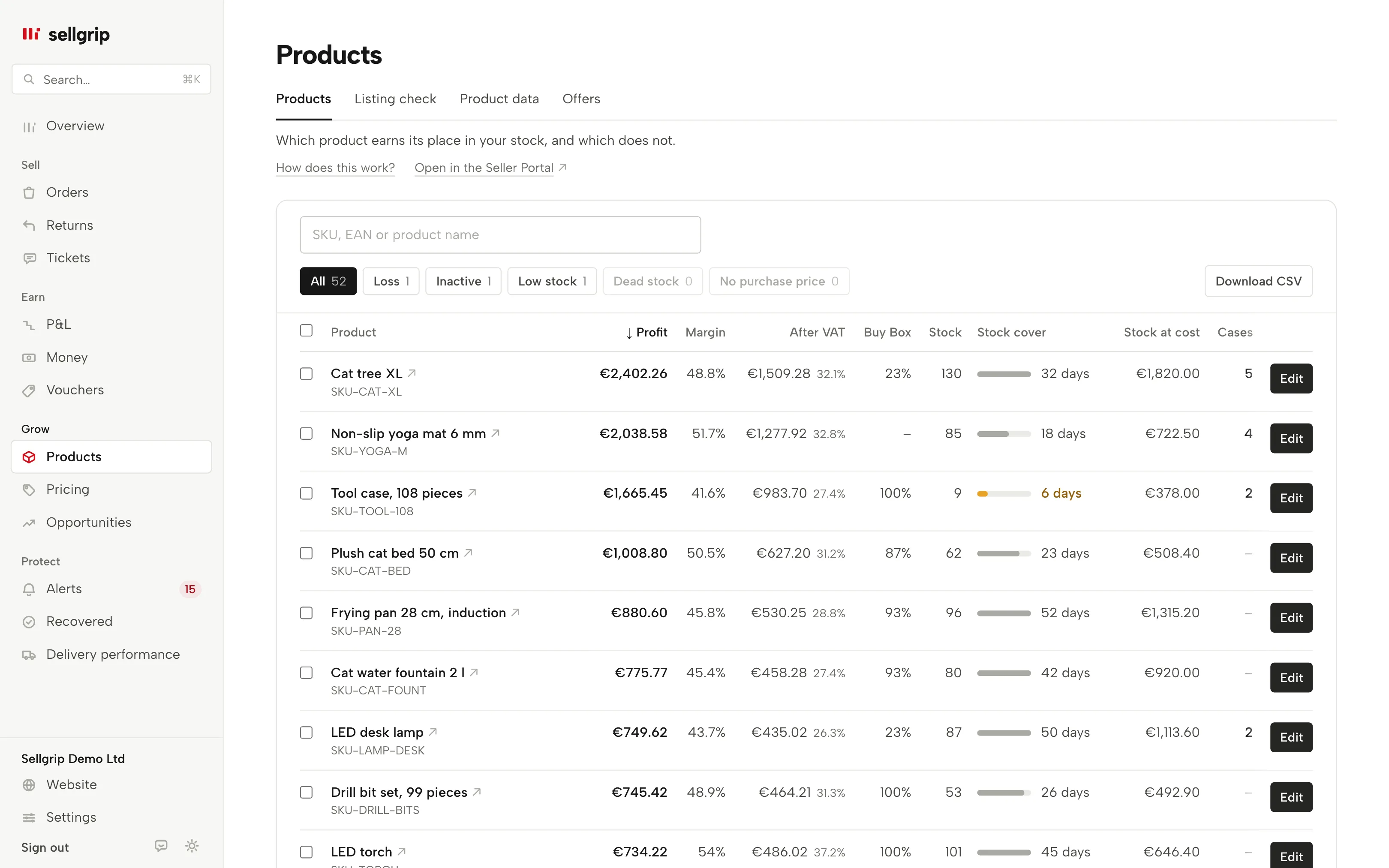
Under Products, click “Edit” in the offer’s row. Your break-even is shown under the “Minimum price” field.
-
Update on Kaufland
Only this button sends the minimum price to Kaufland. The change is then listed in the log.
Why the floor should come from your costs
Smart Pricing moves your price on Kaufland, and the minimum price is the lower limit. A guessed figure there can mean selling below your costs without noticing.
So Sellgrip only sets a minimum price at or above your break-even. If a figure is missing, Sellgrip does not count it as zero; it sets nothing.
- All nine countries
- You set minimum prices for offers in all nine Kaufland countries. In Czechia and Poland Sellgrip writes them in koruna and złoty.
- Promotions and vouchers
- If a promotion with unknown costs is running, or the fee for voucher sales is unknown, there is no minimum price.
What you see in Sellgrip
- Edit
- The button is in every row under Products. It opens price, stock, status, handling time, warehouse, shipping group and minimum price.
- Break-even
- Shown right under the minimum price, with the note “Only applies once Smart Pricing is activated in the Seller Portal.”
- Update on Kaufland
- Sends the change. Sellgrip only records what Kaufland confirms.
- Log
- Under Settings, every change is listed as “Offer updated”, with the old and the new value.
Questions about Minimum prices
Which plan includes minimum prices?
Business. You can change price and stock on every plan, and the minimum price field then says which plan includes it.
Can I set minimum prices for many offers at once?
Yes. Tick the offers under Products, choose “Minimum price at break-even” under “Edit selected” and click “Update on Kaufland”. Each offer gets its own break-even. Offers without a known break-even are skipped, and Sellgrip tells you how many.
Why can’t I set a minimum price?
Because Sellgrip does not know your break-even, for example without a purchase price, without a commission rate, or with several offers at different costs for the same EAN. The reason is shown in place of the field.
Does this work for Kaufland.cz and Kaufland.pl?
Yes. On those two marketplaces Sellgrip sets the minimum price in koruna and złoty, and the offers are listed under Products.
Does Sellgrip change the minimum price by itself?
No. It only goes to Kaufland when you click “Update on Kaufland”, or when you tick it while listing an offer. Automation on Pricing rules changes the price, never the minimum price.
Will this win me the Buy Box?
The minimum price does not promise that; it only sets the lower limit. Whether the Buy Box pays for a product is shown on the Buy Box page.
Related tools
Start with Sellgrip today.
You can start free without a card or a contract. Want everything? Try Business for 14 days (payment details required). After that you pay for the plan you chose, plus VAT, unless you cancel first.