Grow
Every offer Kaufland does not show, with the reason.
The listing check collects every offer that is not live and says what is wrong with each one. If details are missing, you add them with one click.
Try Pro or Business free for 14 days, then pay monthly or yearly for the plan you chose, plus VAT, unless you cancel first.
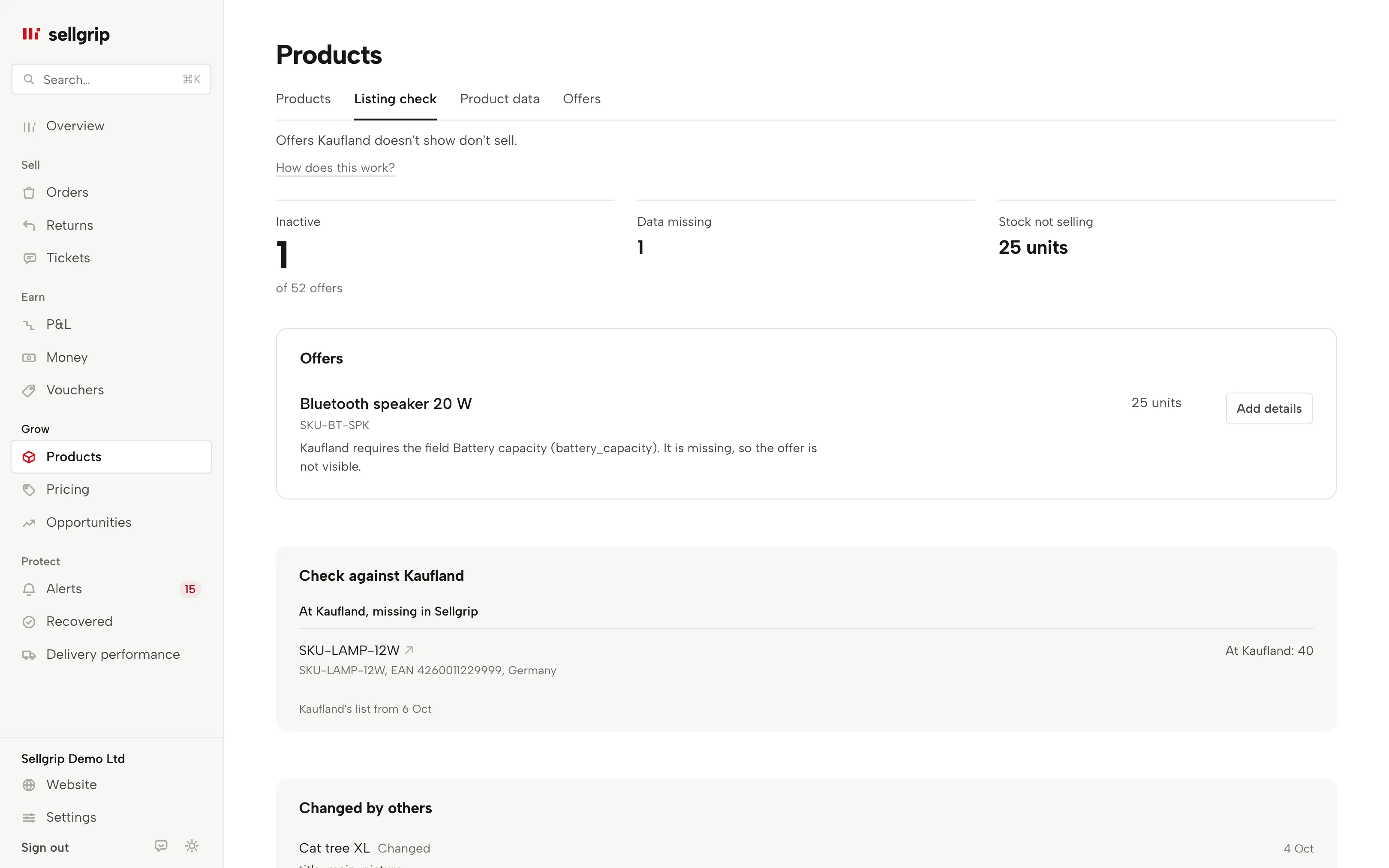
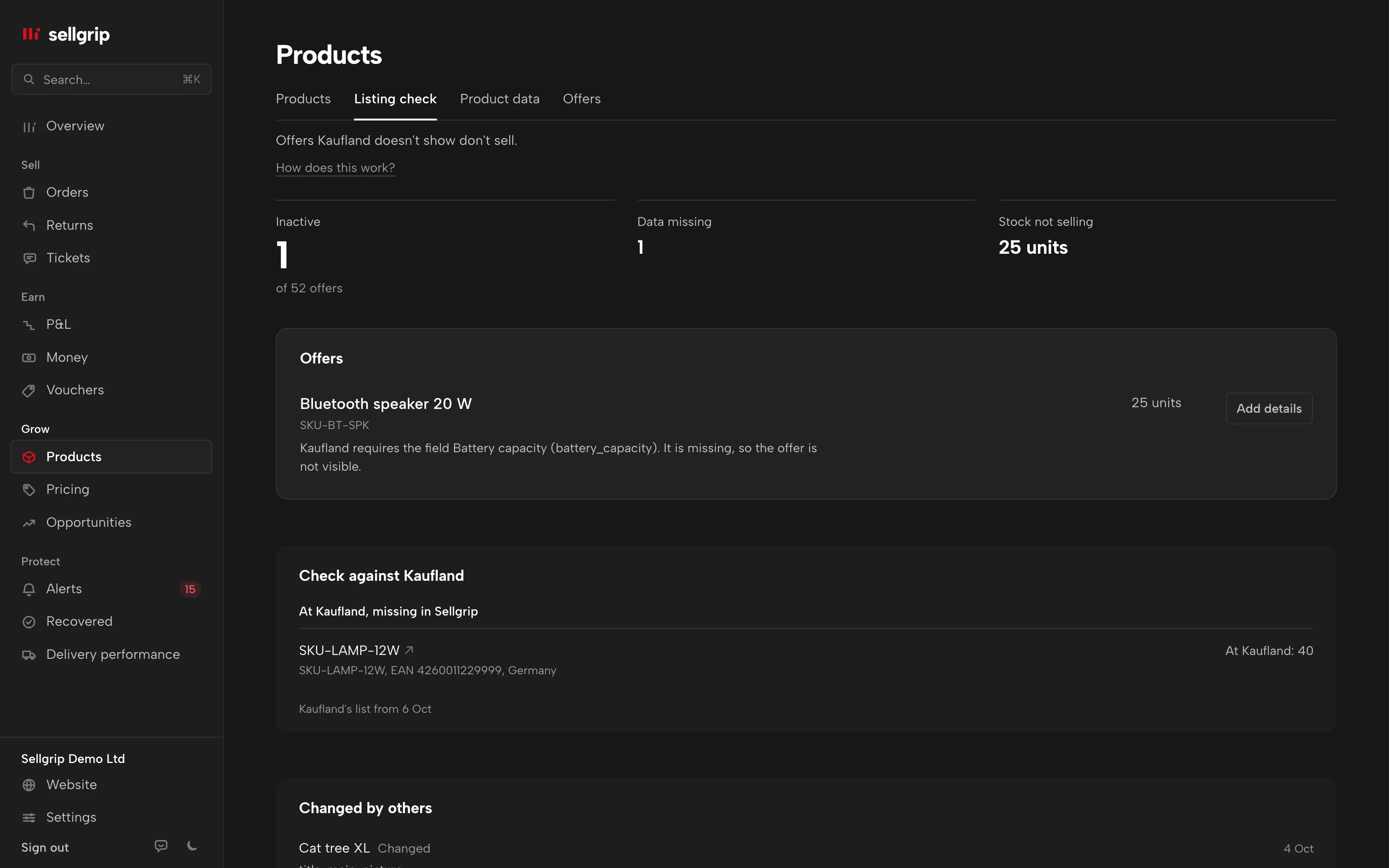
What the listing check shows
Inactive, out of all offers
At the top: how many of your offers Kaufland is not showing right now, and how much stock sits in them without selling.
The reason in Kaufland’s words
Every row shows the reason Kaufland gives in its daily report, with the stock that is waiting. An offer you sent details for is marked “Under review”, one you paused yourself says so.
Fix it from the list
If details are missing, “Add details” opens exactly the fields Kaufland is missing, and you send them from there. For every attribute, images and other languages, open Product data.
Checked against Kaufland’s offer list
Sellgrip puts Kaufland’s own list of your offers next to its own. You see what is on Kaufland but missing in Sellgrip, and the other way round.
Changed by others
If another seller changed a product you also offer in the last 30 days, it shows up here.
Live status in Offers
The Offers tab under Products asks Kaufland directly whether each offer is Active, Inactive or Invalid, with Kaufland’s reasons. The listing check adds the daily report and the offer list.
How you work through the list
-
Sellgrip reads Kaufland’s reports
The status of every offer, the daily report on faulty items and Kaufland’s offer list. Sellgrip makes no extra requests to Kaufland for this.
-
You start at the top
Offers with missing details come first, then declined ones, then those under review. Within each group, the offer with the most stock comes first.
-
You add and check
After you send, the offer shows “Under review” until Kaufland clears the reason. “Check status on Kaufland” lets you ask Kaufland directly.
Why an offer goes invisible
An offer can have stock and a price and still sell nothing, because Kaufland does not show it. Usually required details are missing, and sometimes Kaufland declines the product for another reason.
In the Seller Portal, status, error report and offer list sit in different places. Sellgrip puts them in one list, sorted by what you can do first.
- Only what Kaufland states
- Sellgrip does not invent a reason. If Kaufland gives none, the offer shows as “Declined” or “Paused”, without a guess.
- Paused is your choice
- An offer you took offline yourself shows as “Paused”, with a link to Products. It is not an error.
- Once a day
- Kaufland delivers the error report and the offer list once a day. The date of the list is shown under the check.
What you see in Sellgrip
- Inactive
- The number at the top, with “of … offers” below it. Next to it, “Data missing” and “Stock not selling”.
- Offers
- The list with product, reason and stock. Each row shows what you can do: “Add details” where data is missing, “Edit” for a paused offer (it opens Products), nothing if Kaufland declined.
- Check against Kaufland
- Two lists: “At Kaufland, missing in Sellgrip” and “In Sellgrip, not at Kaufland”, with the date of Kaufland’s list. If everything matches, it says exactly that.
- Every offer is active
- That is what you see when nothing is missing. Sellgrip checks it again every day.
Questions about Listing check
Which plan includes the listing check?
Pro and up: on Free you see how many offers are inactive, but not which ones. Adding details yourself works on every plan, through Products and Product data.
Does Sellgrip change my products on its own?
No. Sellgrip only sends details you enter and send with a click. Here those are only the fields Kaufland names as missing.
What does “In Sellgrip, not at Kaufland” mean?
Sellgrip knows the offer from the sync, but it is not in Kaufland’s offer list. Check it in the Seller Portal.
Why is an offer still “Under review”?
You sent details, and Kaufland has not cleared the reason yet. That can take a while, because Kaufland does not process product data right away.
How often is the list updated?
The status of your offers at every sync, the error report and Kaufland’s offer list once a day.
Related tools
Start with Sellgrip today.
You can start free without a card or a contract. Want everything? Try Business for 14 days (payment details required). After that you pay for the plan you chose, plus VAT, unless you cancel first.