Earn
Buy Box tool for Kaufland: win it back when the numbers work.
Sellgrip reads Kaufland’s Buy Box reports and puts your costs next to them. For every offer, it says whether to lower your price or hold it.
Try Pro or Business free for 14 days, then pay monthly or yearly for the plan you chose, plus VAT, unless you cancel first.
What Sellgrip checks on the Buy Box
Lost, at risk, won
Per offer and country, the status from Kaufland’s report and the number of days in the last 30 on which you held the Buy Box.
The break-even
The price at which you earn nothing after commission, VAT, purchase cost and shipping. If the winning price is below it, Sellgrip says: hold your price.
The full calculation
A price cut also applies to the units you sell anyway. Sellgrip weighs the margin you lose there against the profit from the sales you win back.
Winnable Buy Boxes
A second Kaufland report lists offers where a small price change is enough. There too, Sellgrip only names a price your break-even allows.
When costs are missing
If the purchase price or shipping cost is missing, or you have not yet said whether you give volume discounts, the offer says “Costs missing”. Sellgrip gives no price advice without the calculation behind it. Click it, and you can enter a missing purchase price or shipping cost on the spot.
New or used
Kaufland ranks each condition separately. Sellgrip reads the Buy Box for the condition your offer is in, so a used offer is compared with used offers.
How you get to a recommendation
-
Kaufland’s reports
Sellgrip loads Kaufland’s reports on lost and winnable Buy Boxes. Both cover 30 days, so the page always covers 30 days.
-
Your costs
Purchase price and shipping cost come from your CSV, the commission from Kaufland. From these Sellgrip works out the break-even per offer and country.
-
You decide
The Buy Box page changes no price. The product name opens it under Products, where you change the price with a click. Or you change it in the Seller Portal. Then mark the case as done in Alerts.
Why the cheapest Buy Box can cost you
The Buy Box is the offer buyers see first on the product page. Chase it with your price and you may sell more and still earn less.
Sellgrip tells you up to which price the Buy Box pays, and you make the call.
Just want the floor for one price, without an account? The Buy Box price calculator works it out for free.
- Commission on the new price
- Kaufland charges commission on the gross price including shipping, so it falls with the price. The profit calculator shows the break-even for a single price.
Source: Kaufland, Conditions, read on 11 September 2026.
What you see on the Buy Box page
- Share
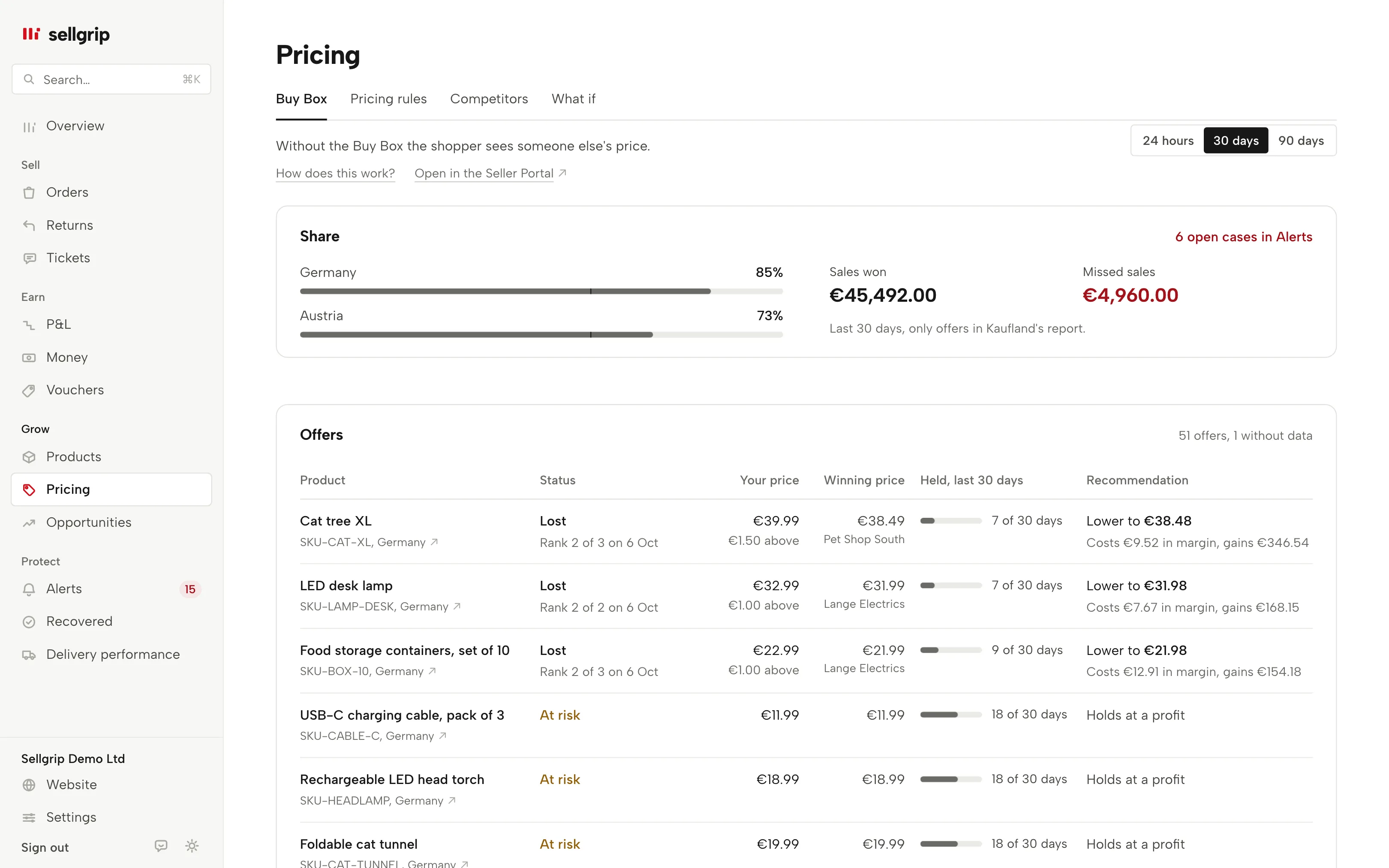
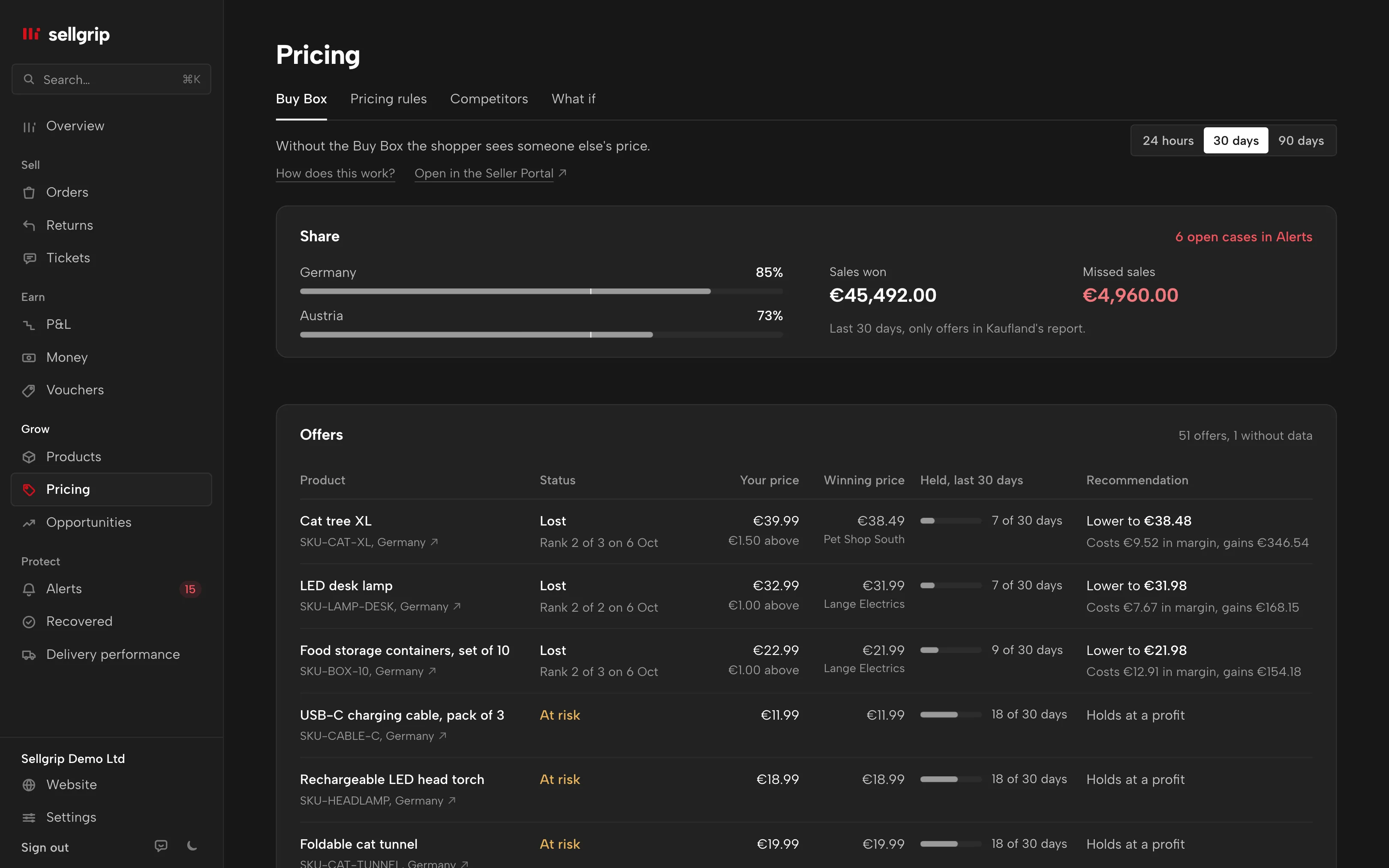
- Under “Share”, your Buy Box share per country, plus won and missed sales in euros. Only offers in Kaufland’s report count.
- Open cases
- “Buy Box lost”, “Buy Box in reach” and “Don’t match”, and on Business also “Price below break-even”. From €100 of missed sales in 30 days, a loss is critical. The cases are listed in Alerts, and the Buy Box page links to them.
- Offers
- Each row shows your price, the winning price, the days held and the recommendation. For a price cut, the line below says what it costs in margin and what it brings in. Czech and Polish offers are shown in koruna and złoty, with your costs converted at the ECB rate of the day shown.
- Today’s rank
- Where Kaufland provides it, your rank among the offers appears under the status, with a date. Under the winning price stands the seller who holds the Buy Box, with a link to their shop. The country opens the product on Kaufland.
Questions about Buy Box
Which plan includes the Buy Box recommendations?
Pro and up. On the Free plan the page shows how many cases Sellgrip found and what they are worth, without details.
Why does an offer say “Costs missing”?
Without purchase price and shipping cost there is no break-even. Running promotions, or not having said whether you give volume discounts, also hold the recommendation back.
Why does Sellgrip say hold, even with a profit?
Because the cut costs margin on every unit you sell anyway. If the sales you win back bring in less, it does not pay.
Why does the page always show 30 days?
Kaufland’s Buy Box reports only have fields for 30 days. Sellgrip labels the figures the way they were measured.
Does Sellgrip change my prices?
Not from this page. You change a price with a click under Products, or on a proposal from Pricing rules. Pricing rules also has an automatic mode, within your limits and never below your break-even. It is being switched on account by account.
Related tools
- Is every Buy Box worth winning? Guide
- Kaufland Smart Pricing: how to set a minimum price Guide
- Buy Box price calculator Free calculator
- Pricing rules Sellgrip tool
- Price guard Sellgrip tool
Checked on , last updated
Start with Sellgrip today.
You can start free without a card or a contract. Want everything? Try Business for 14 days (payment details required). After that you pay for the plan you chose, plus VAT, unless you cancel first.