Team and account
Your Kaufland shop on your home screen.
Sellgrip is a web app: you put the dashboard on your phone’s home screen and open it like an app. No app store, same login.
No payment details, no minimum term.
What the web app does
Its own icon and window
Sellgrip sits on your home screen as an icon and opens without an address bar. It starts on the overview.
The whole dashboard
Orders, tickets, alerts and payouts: the same pages as on your computer. You open the menu at the top left, which also shows the number of open alerts.
Built for small screens
On a phone, Sellgrip hides table columns that do not fit. Name, amount and status stay visible.
Your devices at a glance
Under Settings, in “Account & security”, you see every signed-in device with its browser and system. You sign out a lost phone there.
Sign out on the go
The phone menu includes “Sign out”, just like on the computer. On a shared device, that is how you sign out after work.
Find any function
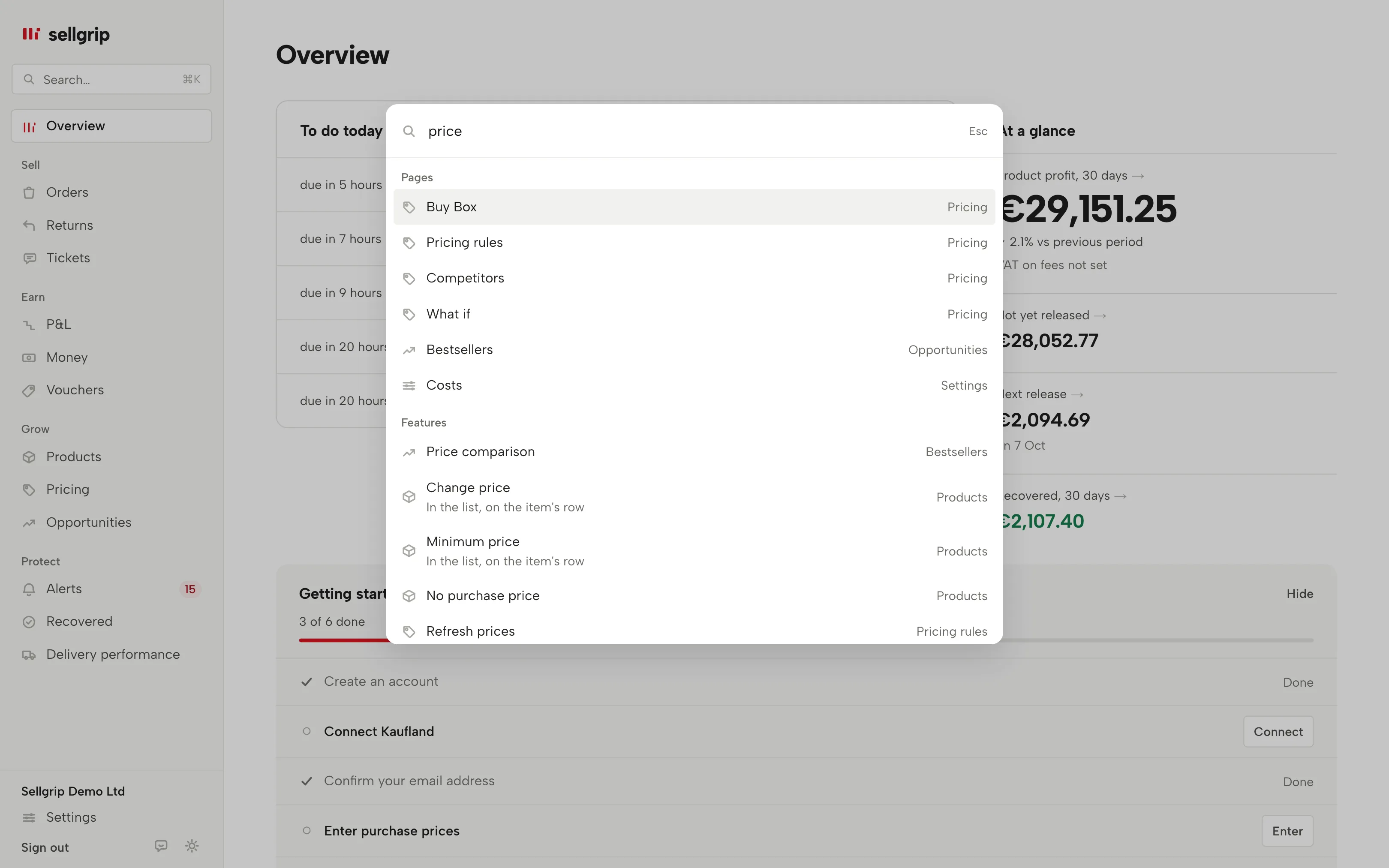
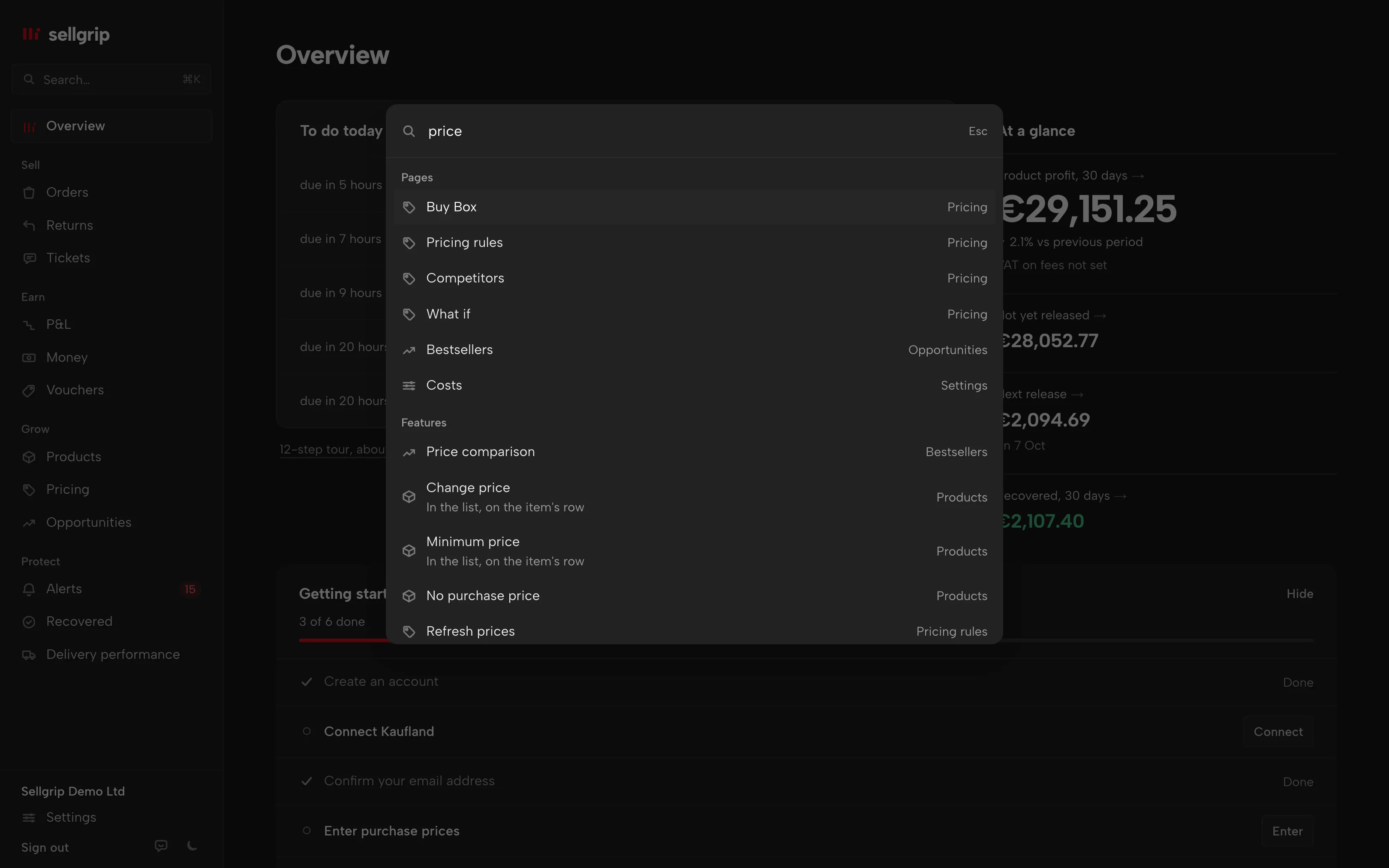
Press ⌘K (Ctrl+K on Windows) or / and type what you need. Search finds every page and the functions inside it, such as “Change price” or “Opportunities as CSV”, plus orders, products by SKU or EAN, tickets and returns. On a phone, tap the magnifier next to the menu.
How to put Sellgrip on your home screen
-
Open Sellgrip in the browser
Sign in to Sellgrip on your phone as usual. On an iPhone in Safari, on Android in Chrome.
-
Add it to the home screen
On an iPhone via Share and “Add to Home Screen”, on Android via the browser menu. Your phone suggests Sellgrip as the name.
-
Open it like an app
A tap on the icon opens Sellgrip in its own window. Your phone then appears in your device list.
Why Kaufland deadlines do not wait at your desk
Shipping and tickets have fixed deadlines on Kaufland, even when you are out in the warehouse. With Sellgrip on your phone, you see open cases wherever you are.
The web app is the same site as on your computer, just without the browser bar. There is nothing to install and nothing to update by hand.
- Shipping confirmation
- If an order without a ticket is not marked as shipped 14 days after the latest delivery date, Kaufland notifies you. If nothing changes within seven days, Kaufland cancels it for a seller-related reason.
- Tickets in 48 hours
- Kaufland expects a reply to every ticket within 48 hours on working days. It takes weekends and national holidays into account.
Sources: Kaufland Seller University, KPIs for your delivery performance; Kaufland Seller University, Customer enquiries, read on 11 September 2026.
What you see on your phone
- Header with menu
- At the top, the menu and the Sellgrip logo, which leads to the overview. The menu holds every section, the settings and “Sign out”.
- Data freshness
- The menu shows when Sellgrip last synced with Kaufland. So you know how fresh the figures are.
- Device list
- Under “Account & security”, every device with browser and system, the current one marked “This device”. Each has a “Sign out” button next to it.
- Overview first
- The app starts on the overview with the “To do today” list. From there you go into any case.
- Settings
- Cost uploads, team and notifications are all within reach on your phone. Settings sits at the very bottom of the menu.
- Your language
- The dashboard, the CSV exports and the alerts are in your language: Dutch, German, English, Czech, Slovak, Polish, French, Italian or Spanish. You switch at the bottom of every page.
Questions about Web app
Do I need to download an app from the app store?
No. Sellgrip is a web app, and you add it to your home screen straight from the browser.
Do I get push notifications?
Not yet; they are planned. Until then, Sellgrip reaches you with the morning email.
Does the web app cost extra?
No, it is on every plan. It is the same dashboard as on your computer.
Does Sellgrip work offline?
No. Sellgrip needs a connection to load your data.
What if I lose my phone?
Sign the device out from your computer under “Account & security”. For this, Sellgrip stores only a rough device name, not your browser’s full identifier.
Which actions work on a phone?
The same as on your computer, such as confirming shipping or replying to a ticket. Whatever your role allows applies there too.
Related tools
Checked on , last updated
Start with Sellgrip today.
You can start free without a card or a contract. Want everything? Try Business for 14 days (payment details required). After that you pay for the plan you chose, plus VAT, unless you cancel first.